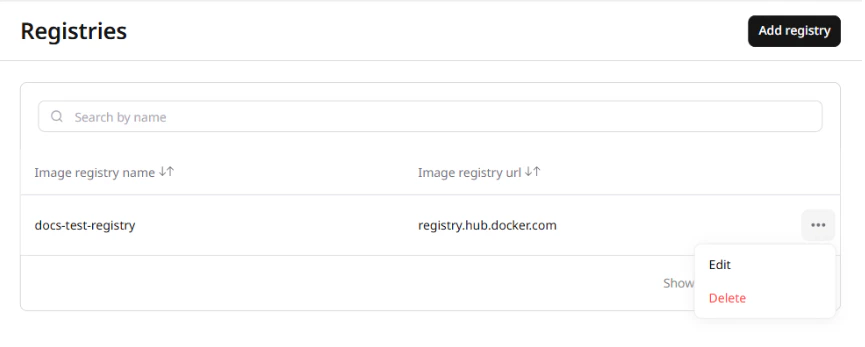
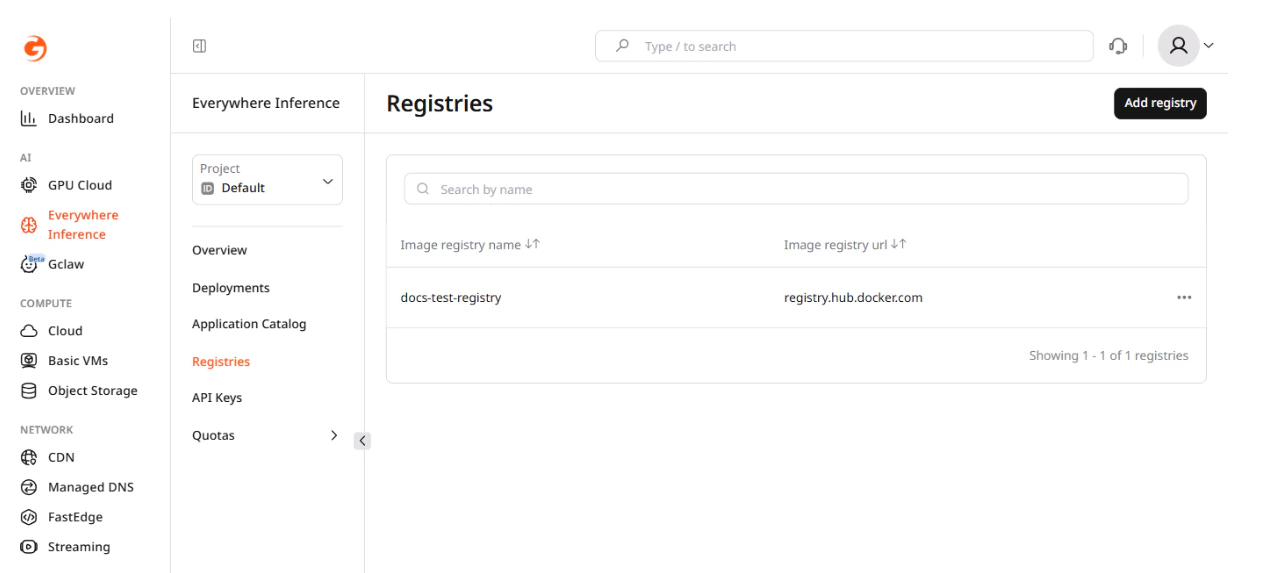
The Registries page in the Gcore Customer Portal lists all container image registries added to the project. Each registry stores the credentials Gcore uses to pull private container images when starting deployment pods. Navigate to Everywhere Inference > Registries to open the list. The registry table has two columns: Image registry name and Image registry url. The URL identifies the registry host, and the name is the label shown in the deployment form when selecting a registry.Documentation Index
Fetch the complete documentation index at: https://gcore.com/docs/llms.txt
Use this file to discover all available pages before exploring further.
Registry in a deployment
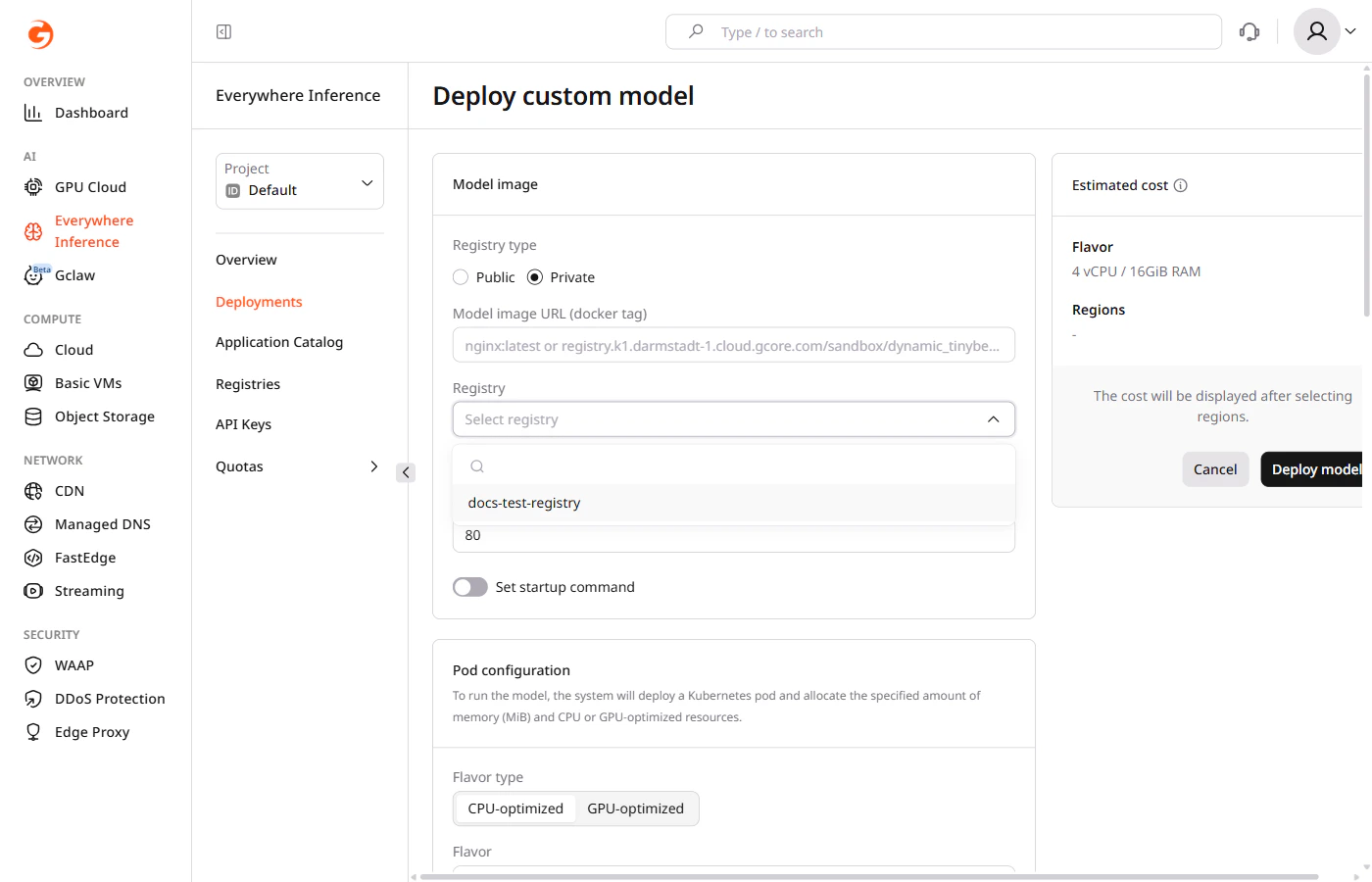
Registries are referenced when deploying a custom container image from a private source. In the Deploy custom model form, set Registry type to Private — a Registry dropdown appears showing all registries added to the project. Select the registry that hosts the image, then enter the full image URL in the Model image URL field.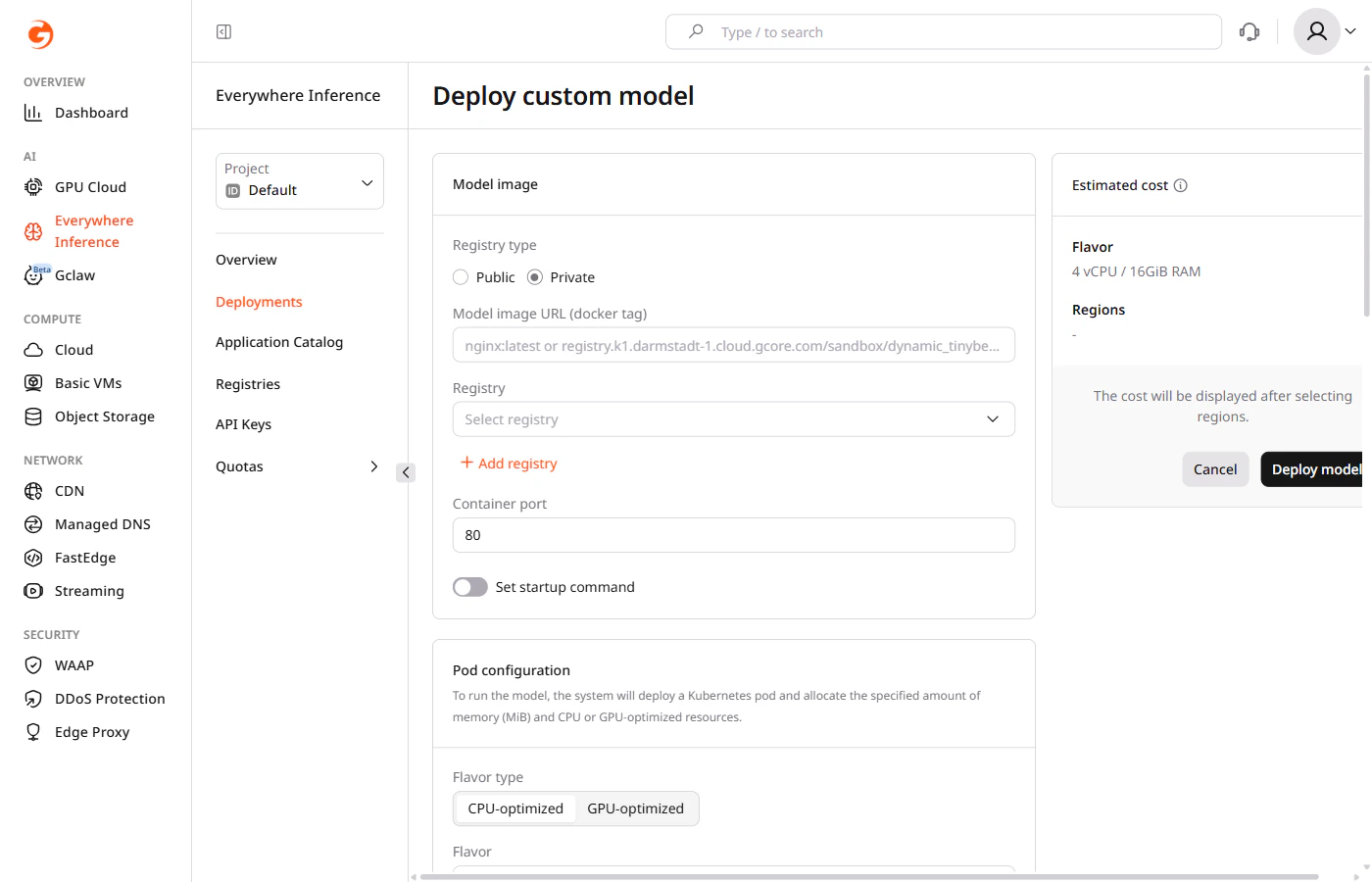
Registry credentials
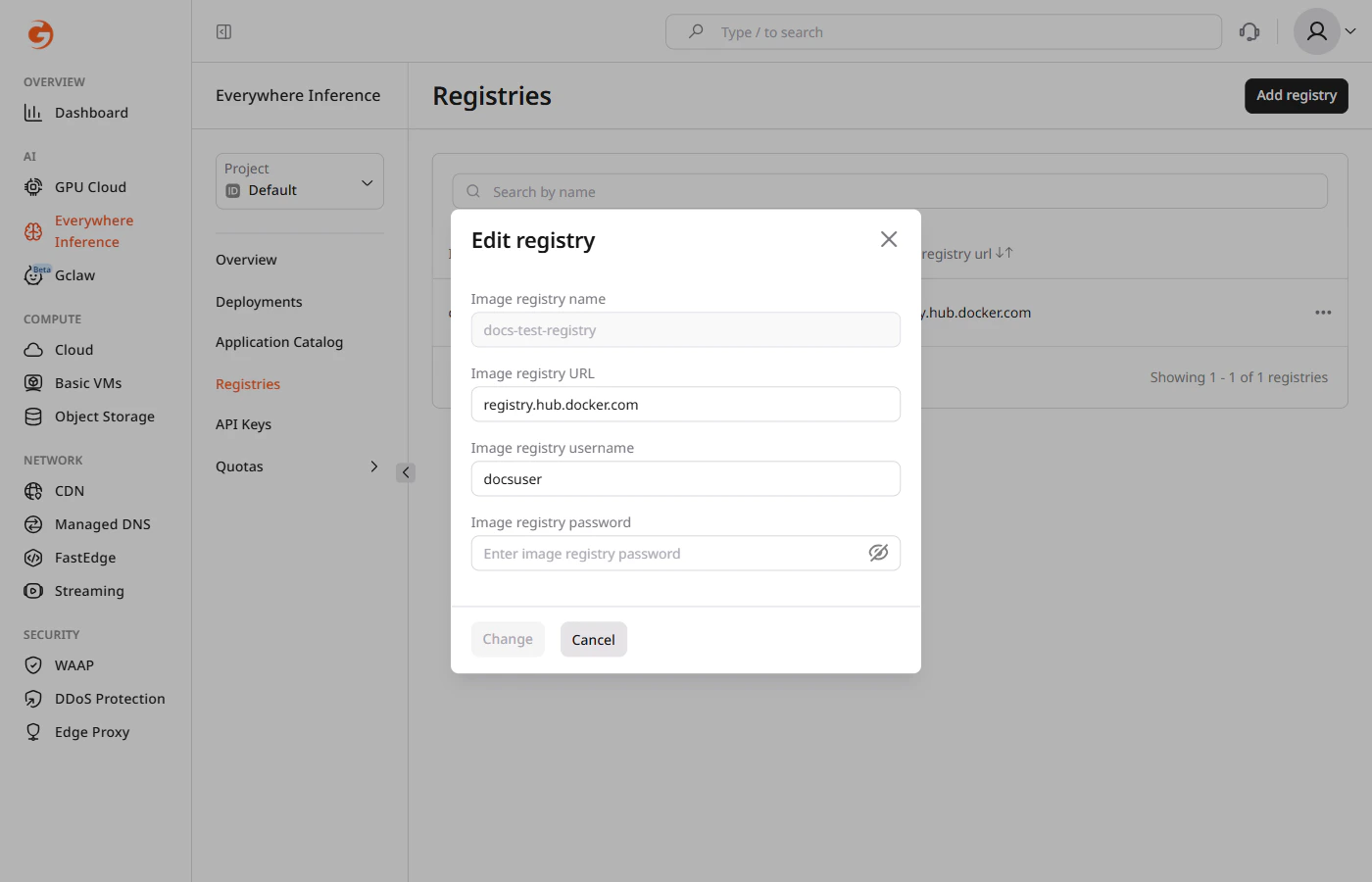
Only authentication credentials can be updated on an existing registry. The registry name and URL are immutable — to use a different registry host, delete the registry and add a new one. To open the action menu, click the three-dot button on the right side of the registry row and select Edit.